The new Friends Hub gives golfers a bird's-eye view of their golf circle. See who's playing well, compare Head to Head stats, check leaderboards, and celebrate big moments from the people you play with most.
Golf is better with friends. We know that. There is nothing golfers anticipate more than a round with their group.
After years of playing together, everyone has an unofficial role. The short game wizard who gets up and down from anywhere. The guy who bombs every drive 280 down the middle and cannot putt to save his life. The steady player who never has a great round and never has a bad one either.
You have played with the same people for years, so you think you know everyone's games. Do you actually, though?
Who putts better under pressure. Who hits more fairways. Who finds more greens. Who is actually up all-time in the Head to Head record. Who has the numbers to back up the talk. Knowing those tendencies is half the fun of playing with people you know. Now there is a way to actually see it.
That is the idea behind the new Friends Hub.
See who's playing well in your group right now.
Open Friends HubStart in the Community tab
The Friends Hub now lives where the rest of the 18Birdies community comes together.
- 1Open the Community tab and tap Friends Hub.
- 2Tap View Full Leaderboard from your Who's Hot card.
- 3Tap Compare with Friends from any friend's profile.
What’s Inside
The Friends Hub turns your golf circle into something you can actually scan, compare, and talk about after the round.
Who's Hot
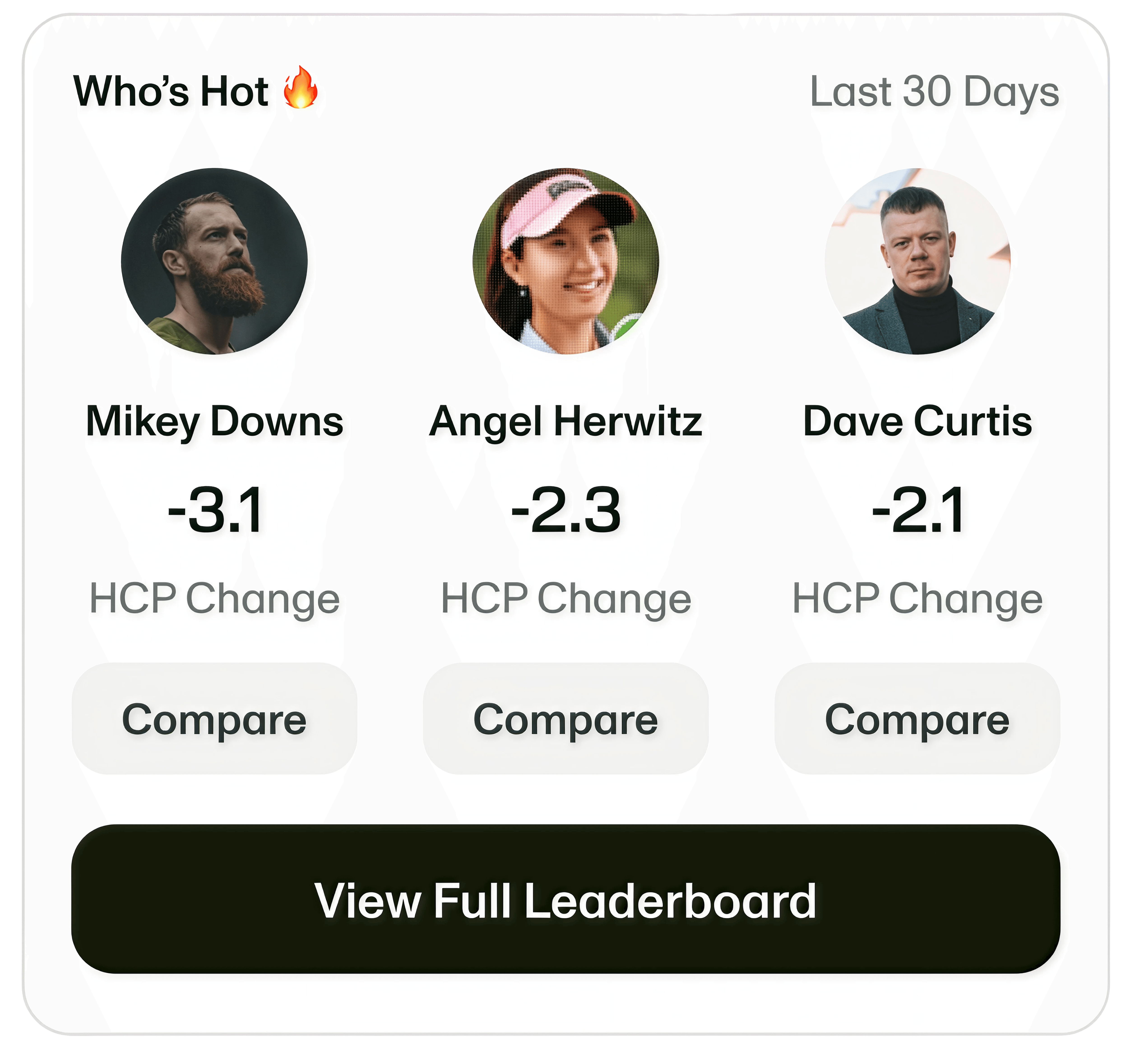
See who is playing well right now. Who's Hot tracks the biggest handicap improvement over the last 30 days, so your group can spot the current heater fast.
Leaderboards
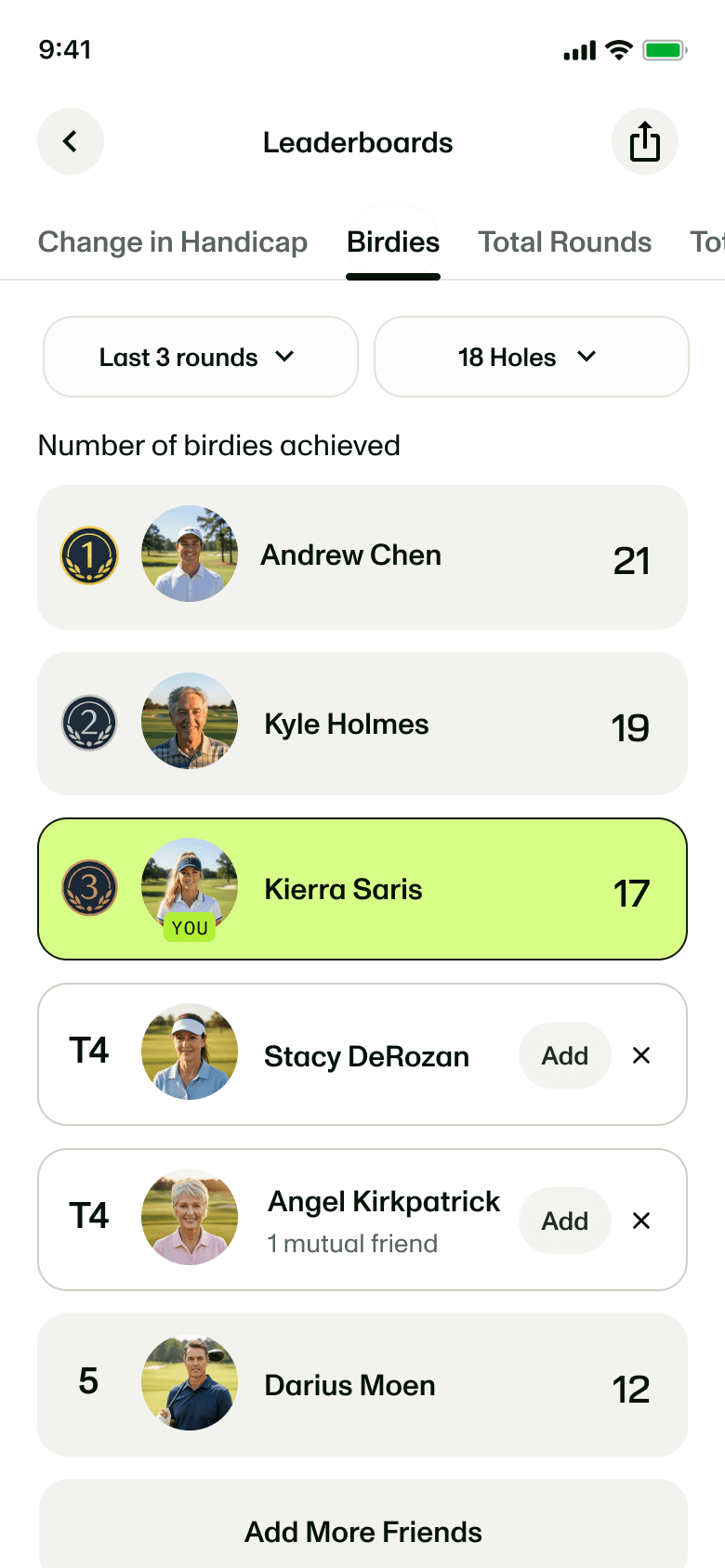
Track more than low scores: most improved handicap, total birdies, rounds played, courses played, and bragging-rights stats.
Head to Head
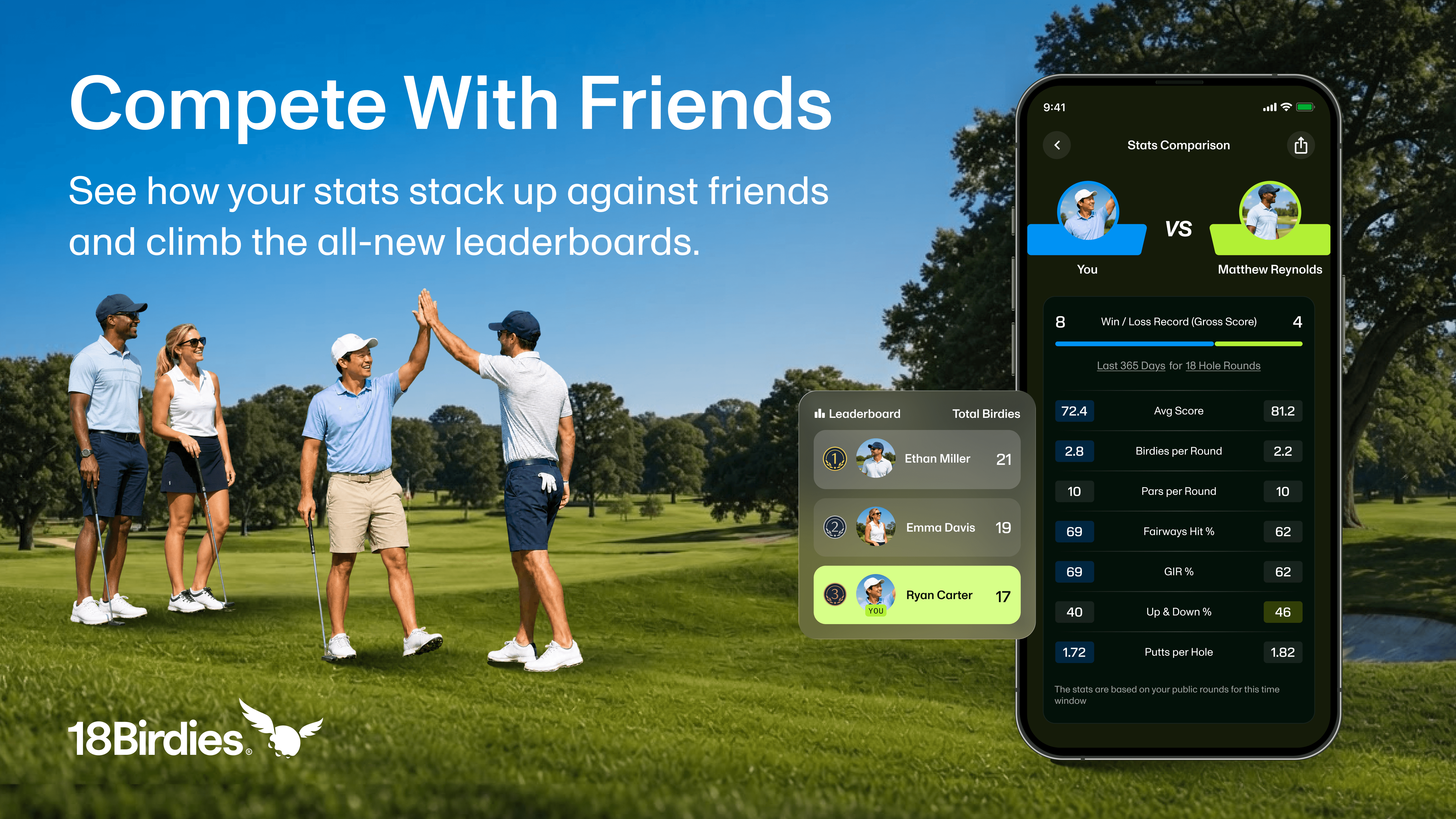
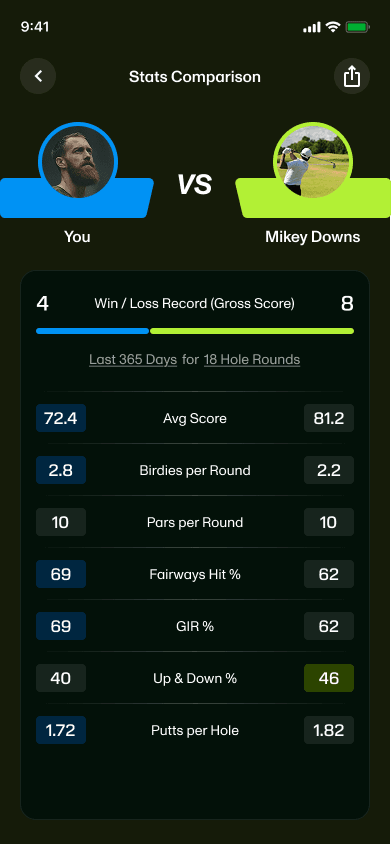
Pick a friend and compare shared rounds stat by stat, including record, average score, birdies, fairways hit, GIR, and putts.
Highlight Reel
When a friend has a great round, you will know about it quickly. The Highlight Reel surfaces moments worth celebrating, including:
- Hole in one
- Bogey-free round
- Double-bogey-free round
- Personal bests
- Birdies
- Eagles
- Albatrosses
A better view of your group
This is not about guessing why someone won the match. It is about seeing the stats that shaped it.
- Compare fairways hit, greens in regulation, putts, birdies, and scoring trends with the friends you play with most.
- Spot who is actually on a hot streak before the next tee time gets booked.
- See the stats behind the friendly bets, matchups, and post-round debates.
- Celebrate golf achievements when someone in your group does something worth talking about.
This Is Just the Start
The Friends Hub makes it easier to see the golf that is already happening around you. Your group has scores, streaks, side bets, hot rounds, bad beats, and friendly debates. Now more of that context is easier to find in one place.
We built this so comparing stats, following friends, and keeping up with your golf circle feels less buried and more natural. The goal is simple: make 18Birdies feel more connected before the round, during the round, and after the scorecard is signed.
Golf is more fun with people who know your game.
The new Friends Hub is live now. Open Friends Hub to see who is playing well, compare the numbers, and keep up with the golfers you play with most.
Open Friends HubFriends Hub FAQs
What is the Friends Hub in 18Birdies?
The Friends Hub is a place inside the Community tab where golfers can compare stats with friends, view leaderboards, see Head to Head records, and follow recent achievements from their golf circle.
Where do I find the Friends Hub?
Open the Community tab in 18Birdies, then tap Friends Hub. You can also open the full leaderboard from the Who's Hot card or compare with a friend from their profile.
What stats can I compare with friends?
Head to Head includes your record, average score, birdies, fairways hit, greens in regulation, up and down percentage, and putts per hole for rounds played together.
How does Who's Hot work?
Who's Hot ranks friends by handicap improvement over the last 30 days, so you can see who is trending in your golf circle right now.
Is Friends Hub a Premium feature?
No. Friends Hub, including Who's Hot, Head to Head, leaderboards, and the Highlight Reel, is available to every 18Birdies user.
Can I still manage friends the way I used to?
Yes. You can still search for friends, manage friend requests, and access your friend QR code from the Friends Hub.