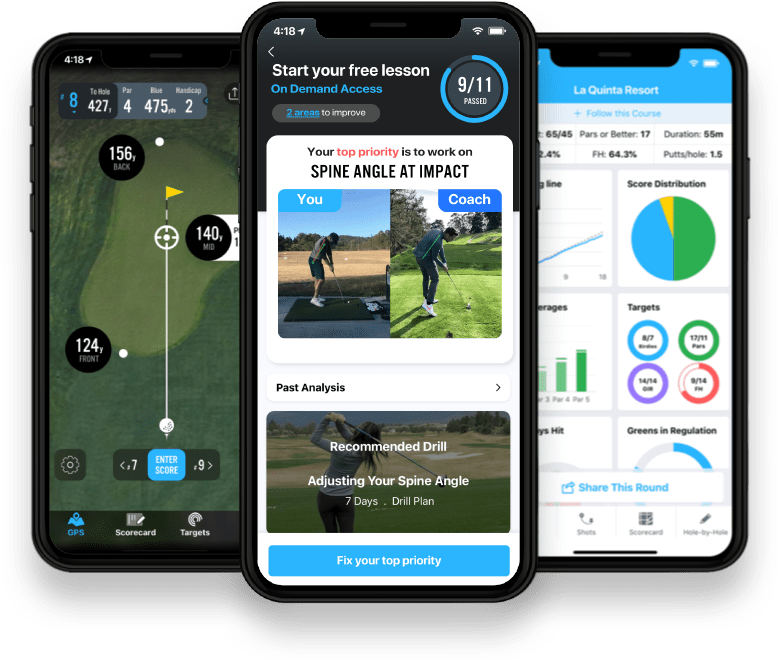
You just finished a round. Now what?
Your post-round scorecard shows what you shot, how many putts you took, and the fairways and greens you hit. Those numbers tell you what happened, but they can leave you wondering what held you back and where to spend your practice time before the next round.
Without that context, it is easy to glance at the stats, think “okay, cool,” and close the app without a clear idea of what to do next.
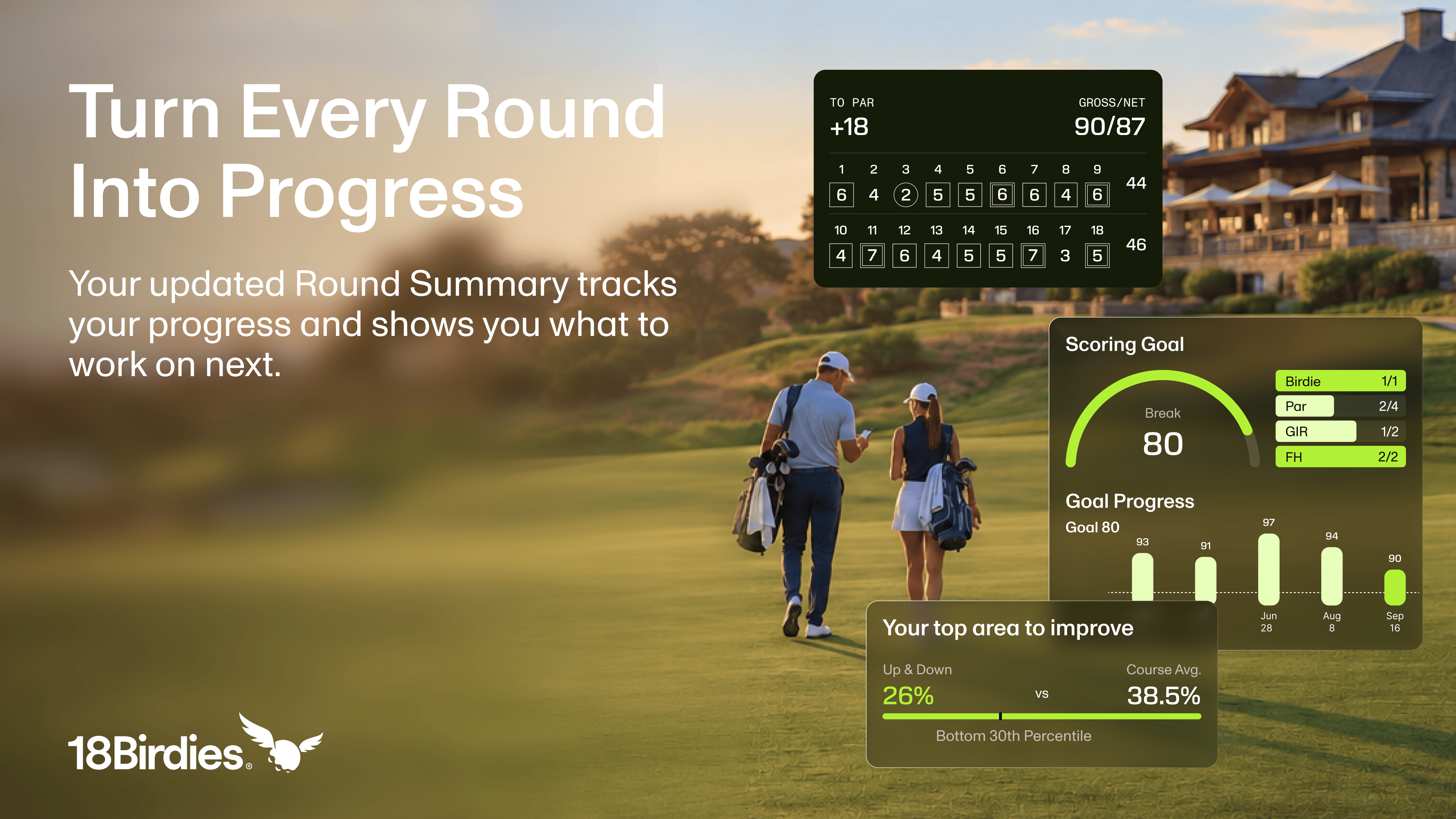
Your Round Summary helps you connect the two. See how your handicap and recent scores are tracking toward your goals, then use Premium comparisons and insights to find a practice focus based on the golf you actually played.
The update
A New Round Summary, Built Around Your Goals
Same round, same data. What changed is what you see first, and how fast it tells you something useful.
We rebuilt the summary around the question golfers actually ask walking off 18: am I getting closer to my goals, and what should I work on? Three parts of the refresh help you find the answer.
See the direction your handicap is moving
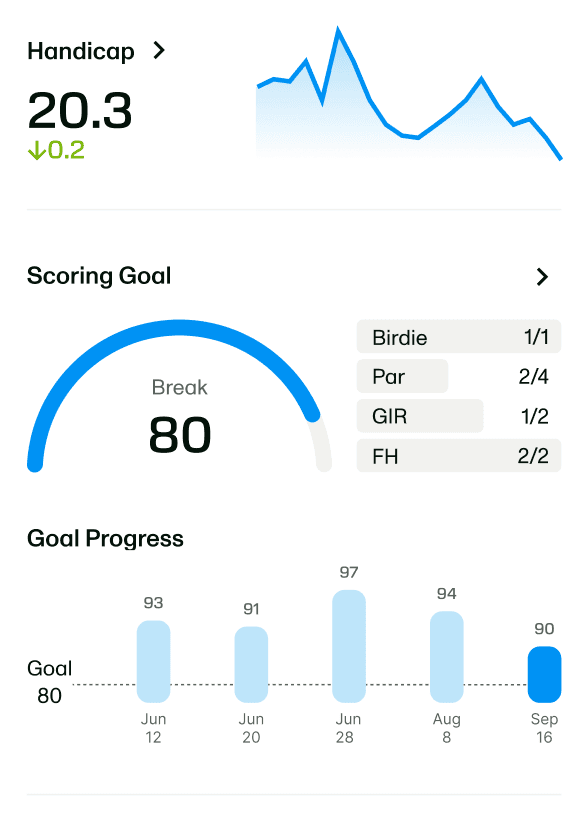
Your handicap gets a clear readout and a trend line. Look beyond a single score and see how your game has been moving over time.
Give your next round a target
Working toward breaking 80? Your scoring goal pairs a progress arc with round stats and a chart of recent scores. It is an easy way to see how this round fits into the bigger picture.
Compare this round with your usual
Benchmarks bring this round, your best, and your average into one table, with front-nine and back-nine rows for an 18-hole round. Premium adds course-average and percentile comparisons.
Look at your last round again
Open 18Birdies and find a saved round in your rounds history. Review your score, then look at the trends and stats below it.
Why it matters
Knowing the Number Is Not the Same as Knowing What to Do
Six fairways hit is a stat. Seeing it next to your usual performance gives it context. Following that context across rounds makes it easier to spot patterns.
Your goal gives you something to aim for. Your handicap trend adds a longer view. And, with Premium, the top-area-to-improve card points you toward a part of your game that deserves attention.
If you have not set a scoring goal yet, look for Set Goal in your summary. Choose the score you are working toward and give your next round a little more purpose.
Free and Premium
Know Your Round. Find Your Next Step with Premium.
Your score tells you how the round ended. Premium helps you understand where strokes went, how your stats compare, and what deserves your next practice session.
Your round, recordedFull scorecard, playing partners, and round highlights.
Your progress at a glanceHandicap trends, scoring goals, and recent results where supported.
Your stats and personal benchmarksRecorded stats, available club distances, and comparisons with your best and average.
AI Round SummaryAn AI-generated written recap of your round, where available.
Stat percentile rankingsSee how supported stats compare with other golfers.
Course benchmarksAdd course-average and rank comparisons to your round.
Strokes GainedSee where you gained or lost strokes in supported tracked rounds.
Your top area to improveFind a practice priority based on your available round data.
Note: Available sections vary by round format, recorded stats, and membership. Smart Tracking adds shot detail; nine-hole rounds exclude scoring goals. Try 18Birdies Premium.
Less guessing. More purpose at practice.
Find the meaning behind the numbers
Was that a strong day on the greens, or just your usual? Percentile rankings for supported stats and course-average comparisons give your numbers a reference point, so you can spot strengths and opportunities.
Walk away with something to work on
Your top area to improve uses your recorded on-course performance to identify a practice priority. Premium unlocks the detail behind that recommendation, so your next step is tailored to the golf you actually play.
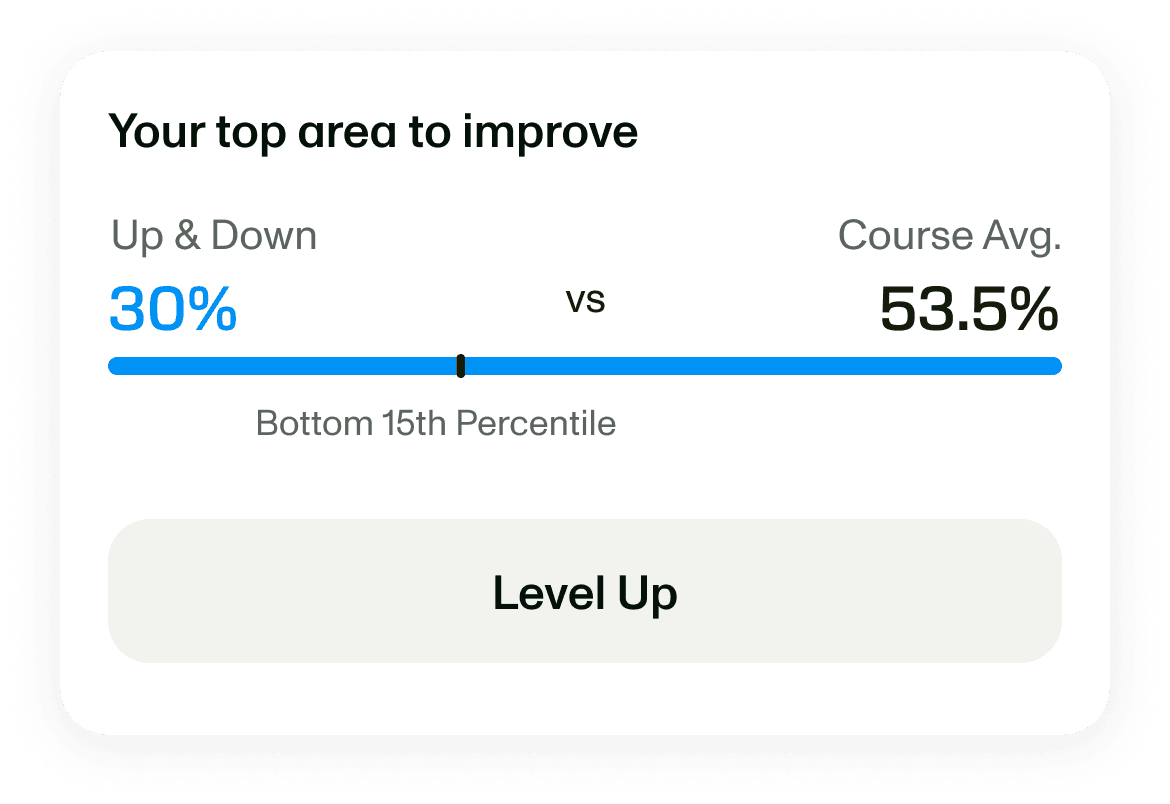
Tap Level Up in your summary for a closer look at your recommended focus, with relevant drills and tips from 18Birdies Golf School to help you take it into practice.
Get the story behind your score
AI Round Summary turns available round data into a written recap, giving you another way to understand the day. Pair it with Strokes Gained in supported tracked rounds to see where you gained ground and where shots slipped away.
Make your next practice session count
Try Premium to put your numbers in context, see where strokes are going, and find a clearer focus for practice. Get more out of the round you already played.
What else is new
The Rest of the Refresh
Highlights worth remembering
A personal best. A scoring goal beaten. A nine-hole best. Highlight cards give the moments worth celebrating their own place in your summary.








A summary that fits the round
From score-only rounds to Smart Tracking, the layout reflects how you played and what you recorded. Team formats show team scores, while nine-hole rounds keep the view focused on the holes you played.
The details stay with the round
Revisit photos, notes, your round recap, and hole-by-hole GPS from the summary. When you have tracked shots, you can dig back into those details, too.
Give your next round a little more perspective.
A score is the starting point. Your Round Summary helps you look back at the moments, follow your progress, and head into the next round with more context.
Revisit a recent round, or take 18Birdies along for your next one.
Start a round
Keep score in 18Birdies, then take a closer look at your round.
Round Summary FAQs
What is the 18Birdies Round Summary?
The 18Birdies Round Summary is a view of a saved golf round. It brings together your scorecard, highlights, handicap trend, scoring goal, and recorded stats. The sections you see depend on your round format, membership, and available data.
Where can I find my Round Summary in 18Birdies?
Open your rounds history in 18Birdies and select a saved round to review its summary. From there, you can look back at your scorecard and available round details.
How do I know what to practice after a golf round?
Start by comparing your recorded stats with your usual performance. Look for patterns across rounds. With Premium, the top-area-to-improve card can suggest a practice priority, while Strokes Gained adds detail for supported tracked rounds.
How can I track progress toward breaking 100, 90, or 80?
Set a scoring goal in 18Birdies. In supported rounds, Round Summary shows your goal alongside recent scores so you can follow your progress. If you have not set a goal, look for Set Goal in the summary.
What golf stats can I see in my Round Summary?
Depending on what you record, you can review fairways hit, greens in regulation, putts, scores, and other round details. Additional tracking data can support club distances, shot details, and Strokes Gained.
What does greens in regulation mean in golf?
A green in regulation, or GIR, means your ball reaches the putting green in at least two strokes fewer than par: one stroke on a par 3, two on a par 4, or three on a par 5.
How can I compare a golf round with my average?
Use the Benchmarks section to compare this round with your best and your average. Premium adds course-average and rank comparisons. An 18-hole round can show separate front-nine and back-nine rows.
What is Strokes Gained in golf?
Strokes Gained compares the strokes you take with a reference group to show where you gain or lose strokes. In supported tracked rounds, it adds context to different parts of your game and can help identify a practice focus.
What is AI Round Summary in 18Birdies?
AI Round Summary is an AI-generated written recap of your golf round. Where available, it adds a narrative alongside your recorded numbers to help you look back on how you played.
What Round Summary features are free in 18Birdies?
Free users can review their scorecard, highlights, handicap trend, scoring goal progress, recorded stats, and personal benchmarks where supported. Some sections require recorded data or a particular round format.
What does Premium add to Round Summary?
Premium adds percentile rankings for supported stats, course-average and rank comparisons, and top-area-to-improve insights. AI Round Summary and Strokes Gained add further context where the round and available data support them.
Do I need to track every shot to use Round Summary?
No. Score-only rounds have a Round Summary too. Recording more stats or tracking shots provides data for additional sections; a score-only round will not contain the same detail as a fully tracked round.
Does Round Summary work for nine-hole rounds?
Yes. Nine-hole rounds have a summary tailored to the holes played, including the relevant front-nine or back-nine benchmark row. The nine-hole layout does not show the scoring-goal section.
Will team rounds and individual rounds look the same?
No. Team formats can show team scores, while individual rounds focus on the golfer’s own round. The layout and available sections vary by format and recorded data.
What happens when I tap Level Up in Round Summary?
Tap Level Up on your top-area-to-improve card to open a detailed view of the recommended focus and what to work on. With Premium, the guidance connects your recorded on-course performance with relevant tips and drills, helping you give your next practice session a specific purpose.
How is Round Summary different from My Performance?
Round Summary focuses on a single saved round. My Performance brings together your previous rounds, stats, personal bests, and averages at a specific course, helping you see patterns across visits.