Less guessing. More knowing what to work on next.
Your practice should give you more than a "feeling" that your swing is getting better. You should be able to see what changed, understand what still needs attention, and know what to work on next.
Maybe you have been working on your posture or trying to stay more balanced through impact. A few swings feel better, but is the adjustment becoming consistent? Seeing your recent swings together helps you decide where to focus your practice.
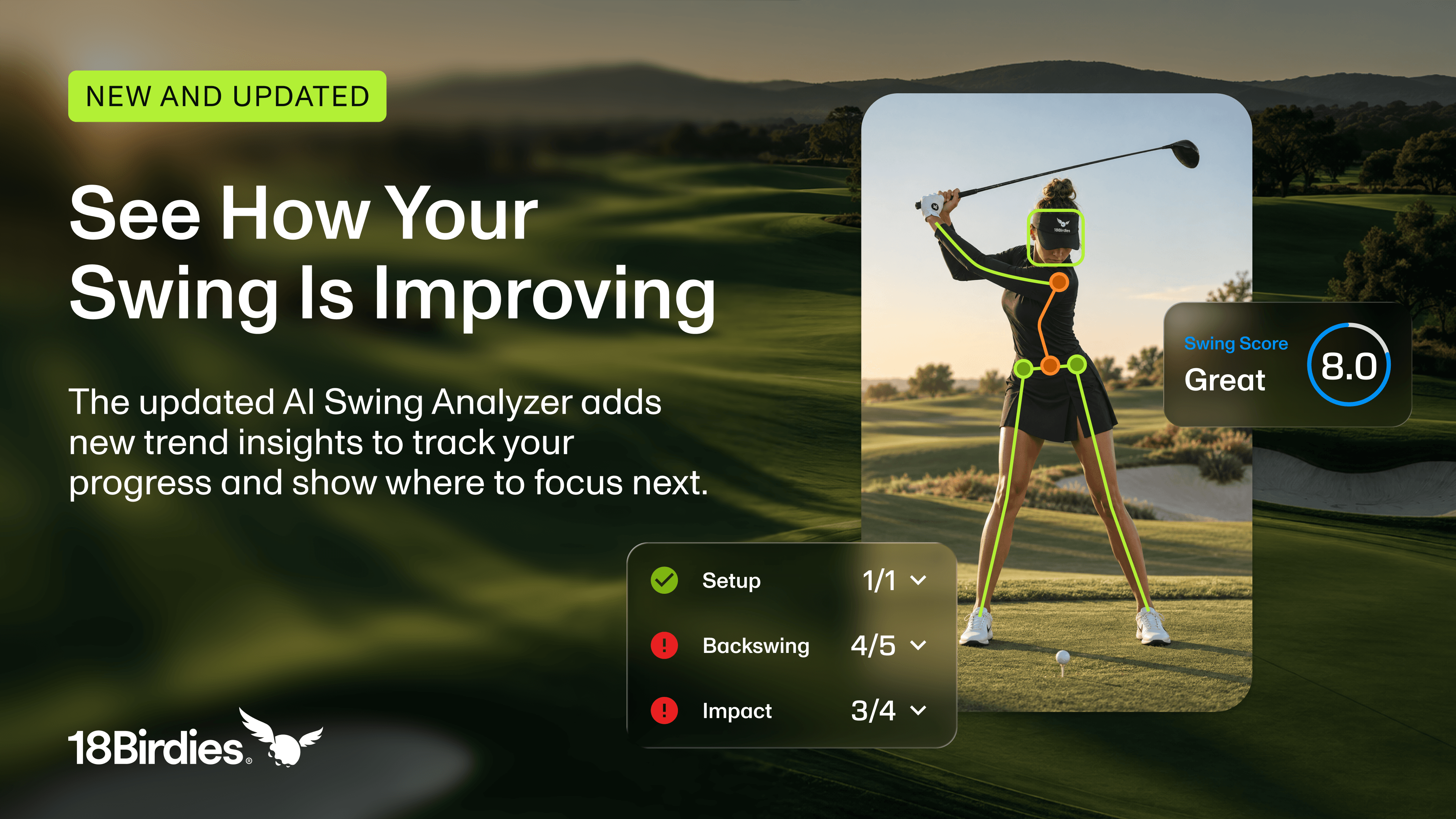
The refreshed 18Birdies AI Swing Analyzer connects that feedback to your practice. Review your recent swings, find your Top Priority, and follow a practice plan built around your findings. Analyze again to see how your swing is changing.
18Birdies AI Swing Analyzer is included with 18Birdies Premium. This refresh is available on iOS only.
What’s New in AI Swing Analyzer?
The refresh makes it easier to record your swing, understand your results, and put them into practice.
Record multiple swings, then choose one
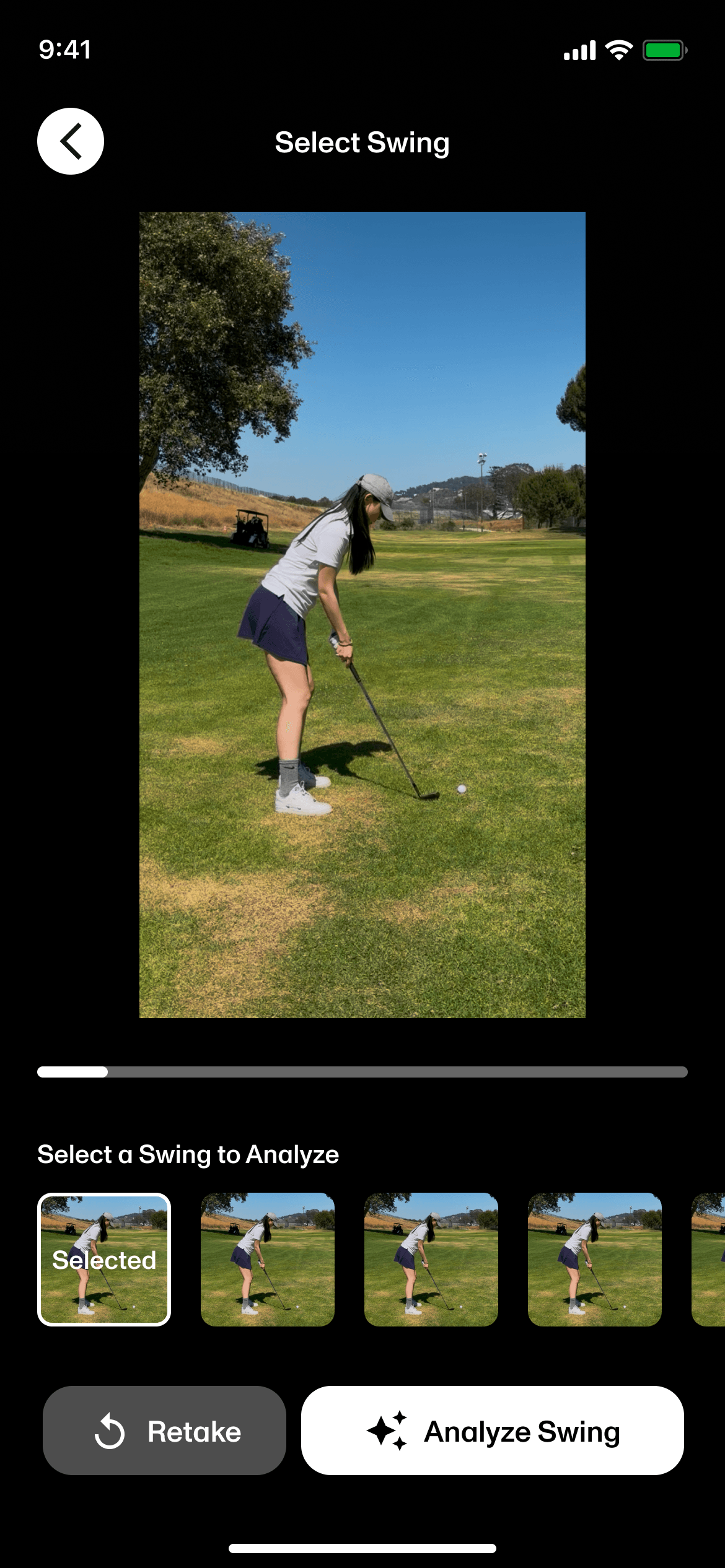
Keep swinging, then select the swing you want analyzed. Automatic detection and trimming prepare the clip for analysis.
Track changes across your recent swings
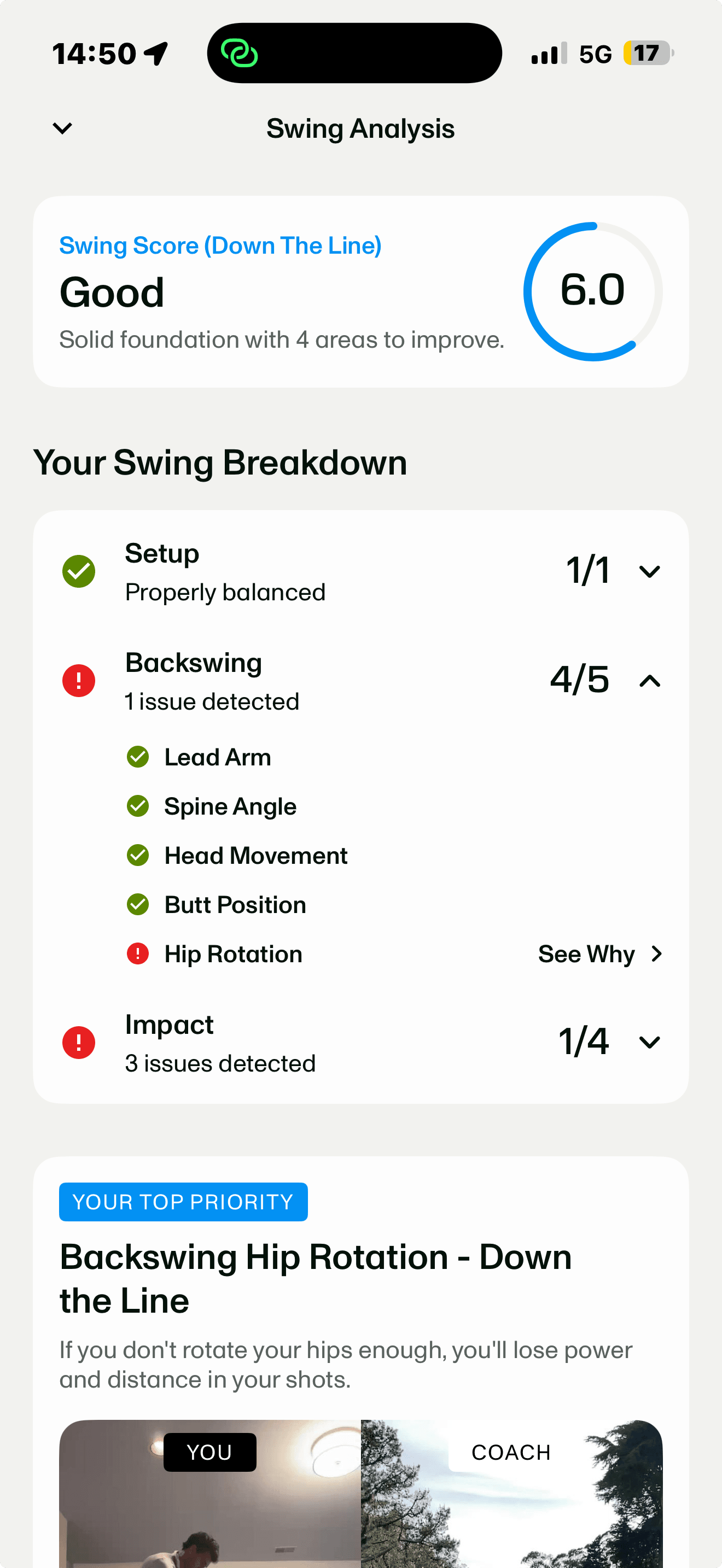
Compare Setup, Backswing, and Impact across your last five analyses, with an average score across those swings.
Know where to focus
Your Top Priority draws on recent analyses and shows how often a finding has appeared.
Turn feedback into focused practice
Open a relevant practice plan from your Top Priority, or browse other plans to choose what you want to work on.
Find and revisit earlier analyses
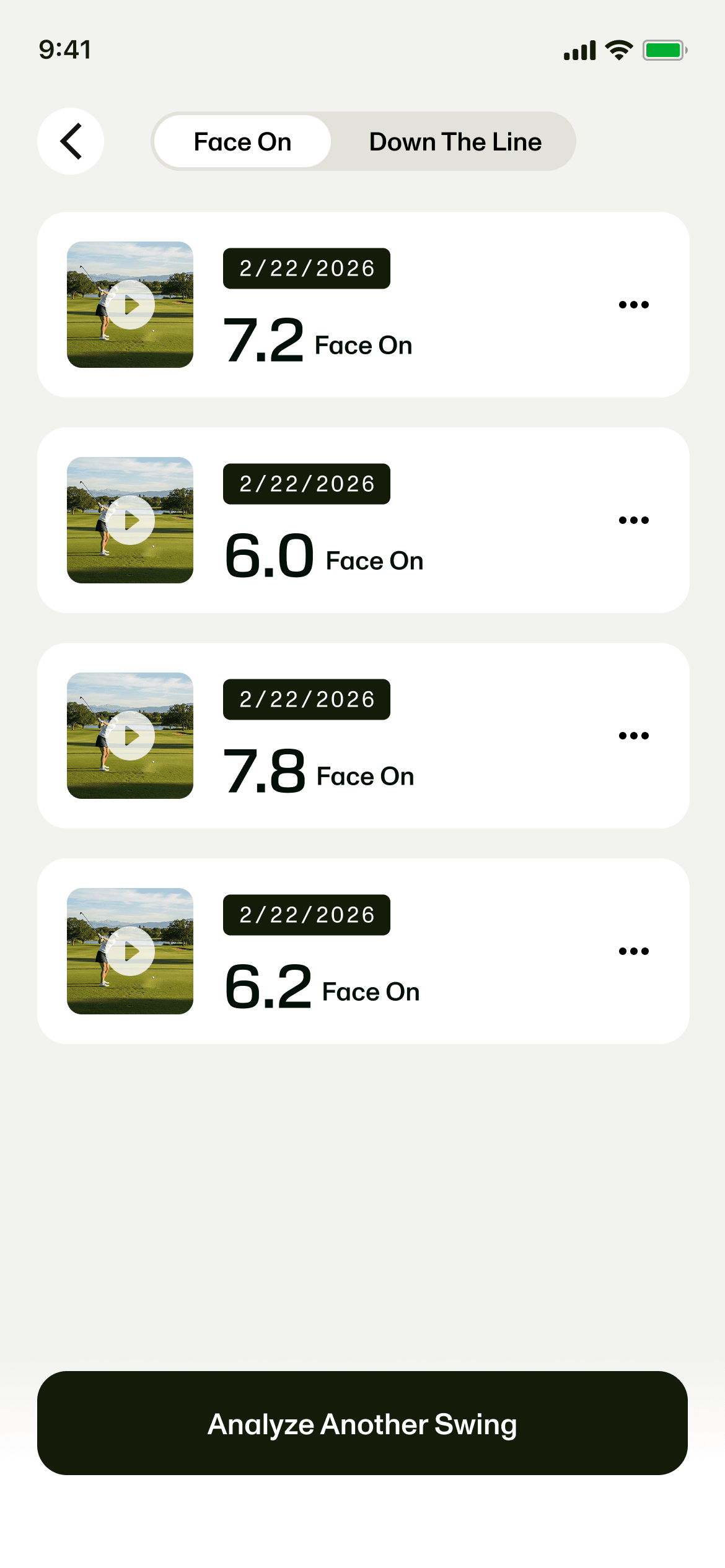
Return to a previous swing to review its results and compare them with your recent work.
See How Your Swing Is Changing
The Swing Improvement Trend brings your last five analyses together, organized into Setup, Backswing, and Impact. Each phase includes individual checks, helping you see which movements are consistent and which findings keep appearing.
✓ Passed× Needs workOldest → newest
Setup example
Your stance and posture before the swing.
Backswing example
How your body moves as you bring the club back.
Impact example
Your body position and timing as you meet the ball.
Illustrative results, September 2026. Each dated column represents one analysis; these are example findings, not a golfer’s actual results.
Find Your Starting Point With Top Priority
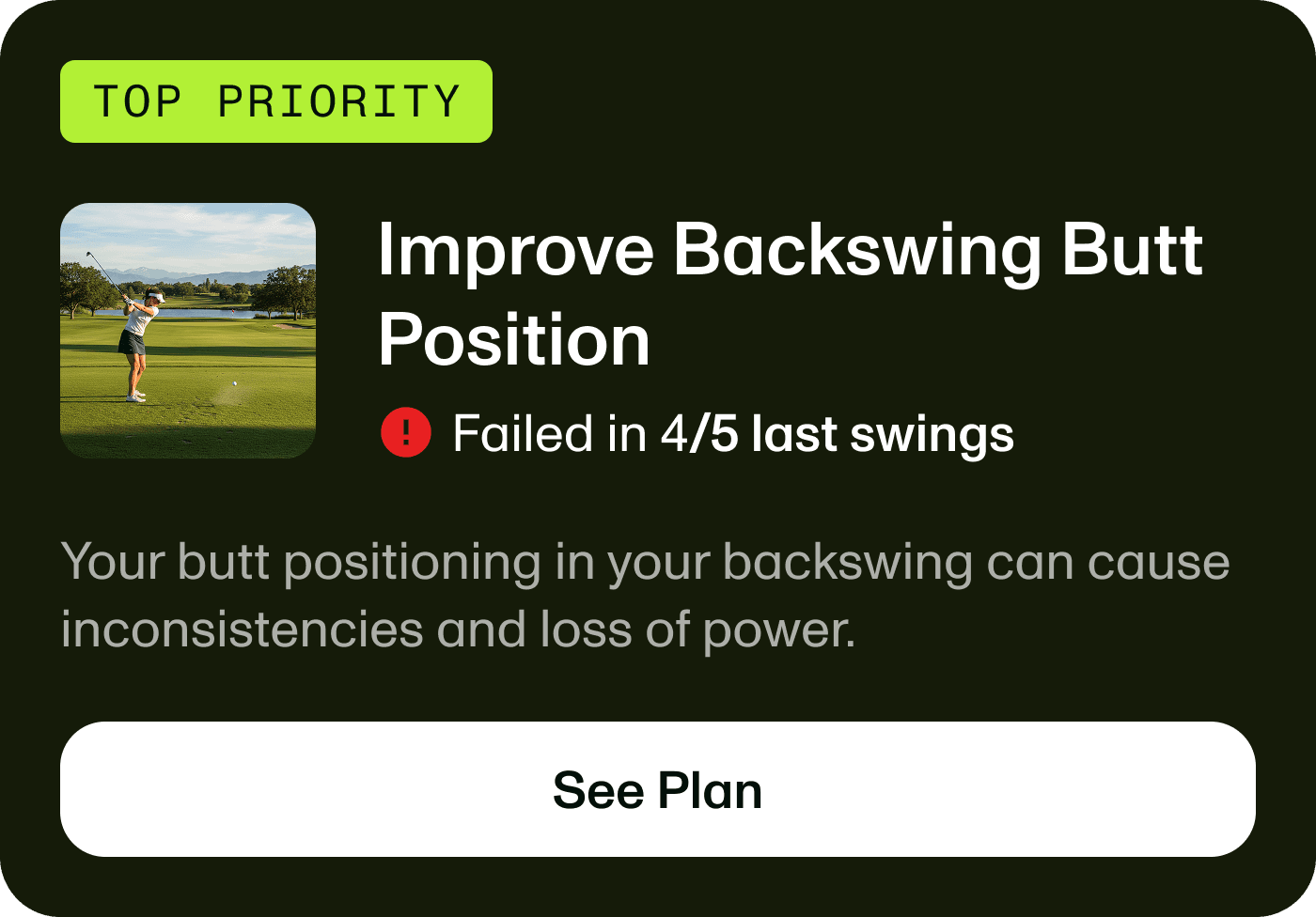
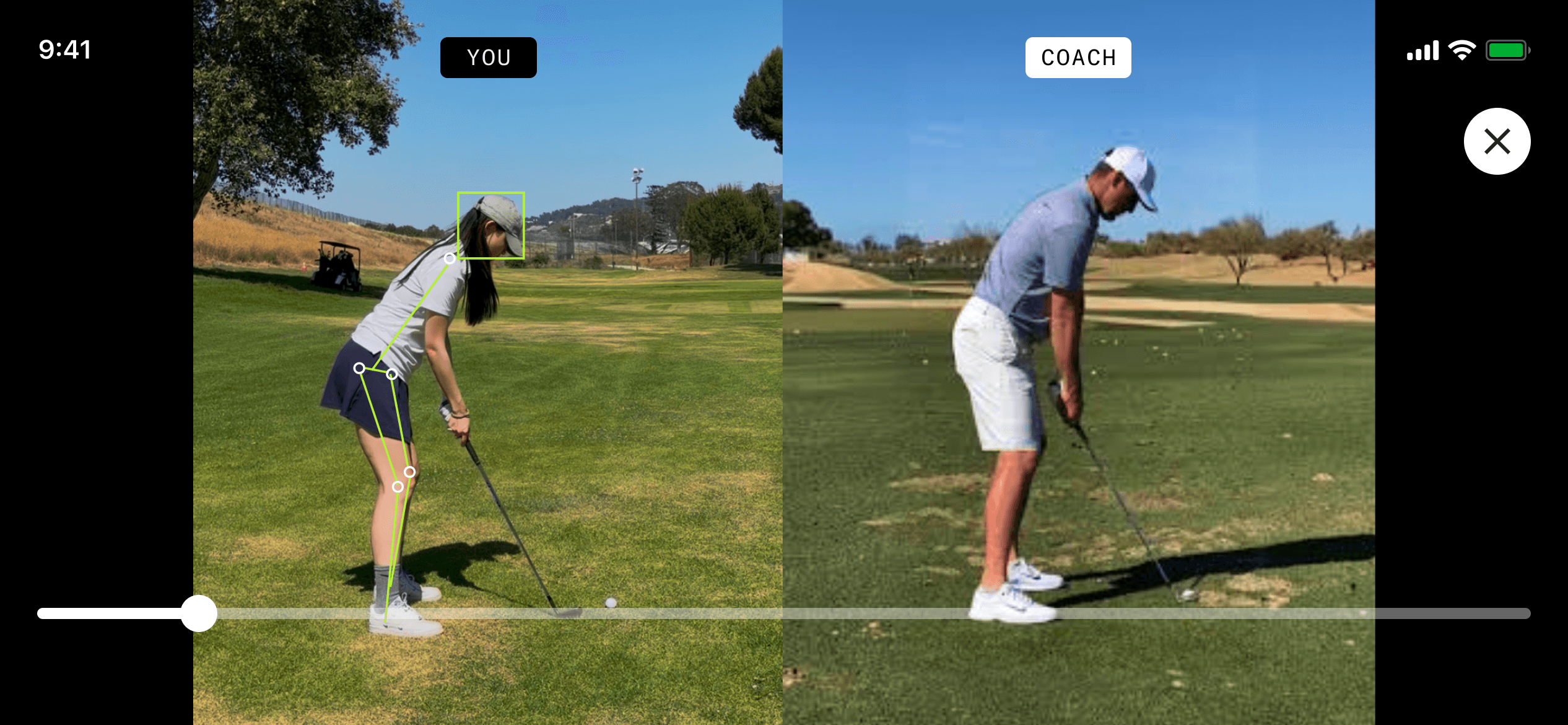
Your Top Priority highlights one finding to focus on and shows how often it appeared in your recent analyses. Open it for an explanation, a coach comparison, and a relevant practice plan.
Put Your Feedback Into Practice
Each Top Priority connects to a Personalized Practice Plan in the app, with videos to guide you through getting the feel and making it real. The plan is designed to mimic working with a coach: first learning the movement, then practicing it in a full swing to help the change stick.
- Get the Feel Practice a drill without a club to become familiar with the movement.
- Make it Real Take that movement to the range and practice it in a full swing.
Plans also include fitness drills and stretches. You can browse other plans and choose a different focus whenever you need to.
From your practice plan, open Instant Swing Playback to record and review your practice swings. When you are ready, run another analysis to see what has changed.
How to Analyze Your Swing
- Open the Improve tab and tap AI Swing Analyzer.
- Record your swings from Face On or Down the Line, or upload an existing video.
- Choose a swing and tap Analyze Swing.
- Review your results and open your Top Priority.
- Start the practice plan, then return for another analysis after practicing.
This AI Swing Analyzer refresh is available on iOS only and requires 18Birdies Premium.
Revisit Your Earlier Swings
Earlier analyses are easier to access, so you can return to a previous swing and see how your results compare. Look at the findings you have been practicing to understand what is changing and what still needs attention.
Know What to Practice Next
Analyze your swing, choose a focus, and put your feedback to work.
Analyze My SwingAI Swing Analyzer requires Premium. This refresh is iOS only.AI Swing Analyzer FAQs
What’s new in the AI Swing Analyzer?
The refresh adds easier swing recording and selection, a dashboard showing your last five analyses, clearer Top Priority recommendations, and easier access to practice plans and earlier analyses.
Is AI Swing Analyzer included with Premium?
Yes. 18Birdies AI Swing Analyzer is included with 18Birdies Premium.
How many swings do I need before I see a trend?
There is no fixed number. AI Swing Analyzer displays your last five analyses so you can compare results, but how quickly a pattern becomes clear depends on your swing and the movement you are working on. You may notice a recurring finding after a few analyses, while other changes take more practice and analysis to understand. Five is the dashboard’s comparison window, not a required number for improvement.
Can I record multiple swings at once?
Yes. Record multiple swings on iOS, then choose the one you want analyzed. The app trims it automatically. You can also upload a video you already recorded.
What angle should I record from?
Record from Face On or Down the Line. The views support different checks, so using both over time gives you a fuller view of your swing.
What is a Top Priority?
It is a finding highlighted as a starting point for your practice, based on your recent analyses. It includes how often the finding appeared, an explanation, a coach comparison, and a relevant practice plan.
What is the difference between Get the Feel and Make it Real?
Get the Feel helps you learn a movement through a drill without a club. Make it Real helps you practice that movement in a full swing at the range.
How does the AI Swing Analyzer work with Instant Swing Playback?
Your practice plan links directly to Instant Swing Playback, where you can record and review swings while practicing. Return to AI Swing Analyzer for another analysis when you want to check your progress.
Is this refresh available on Android?
This refresh is available on iOS only.