That missed three-footer on 17 is still on your mind. So are the two drives that went out of bounds and turned decent holes into big numbers.
By the time you get to the range, putting, driving, and your short game all feel like they need work. For many amateur golfers, the hardest part is figuring out which one deserves attention first.
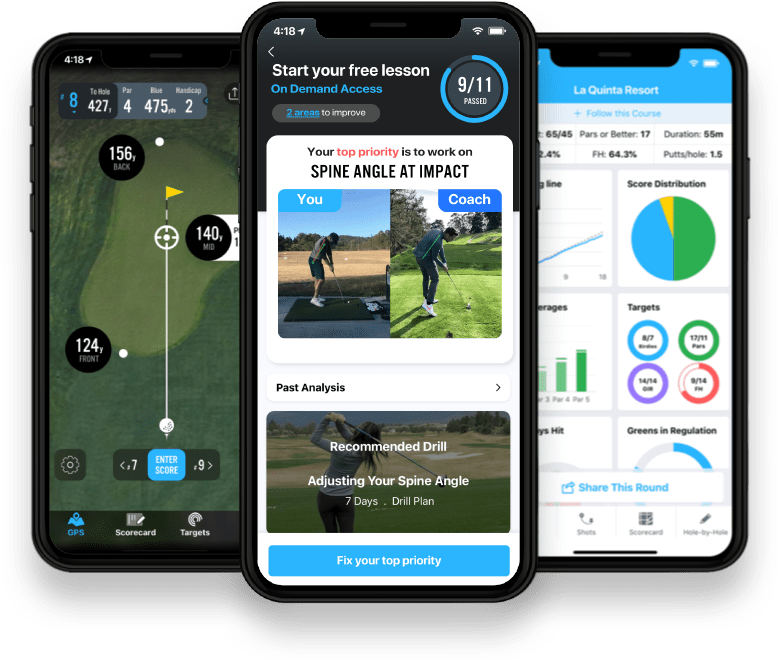
Smart Tracking helps you spend less time logging your round and more time focused on playing. Now, Actionable Insights turn that tracking into a clear next step: see where you’re losing strokes and what to practice to work toward lower scores.
Find the story behind your score.
Strokes Gained shows where you gain or lose strokes compared with your selected benchmark. Positive numbers mean you gained strokes; negative numbers mean you lost them. It helps you understand which parts of your game are helping your score and which are holding it back.
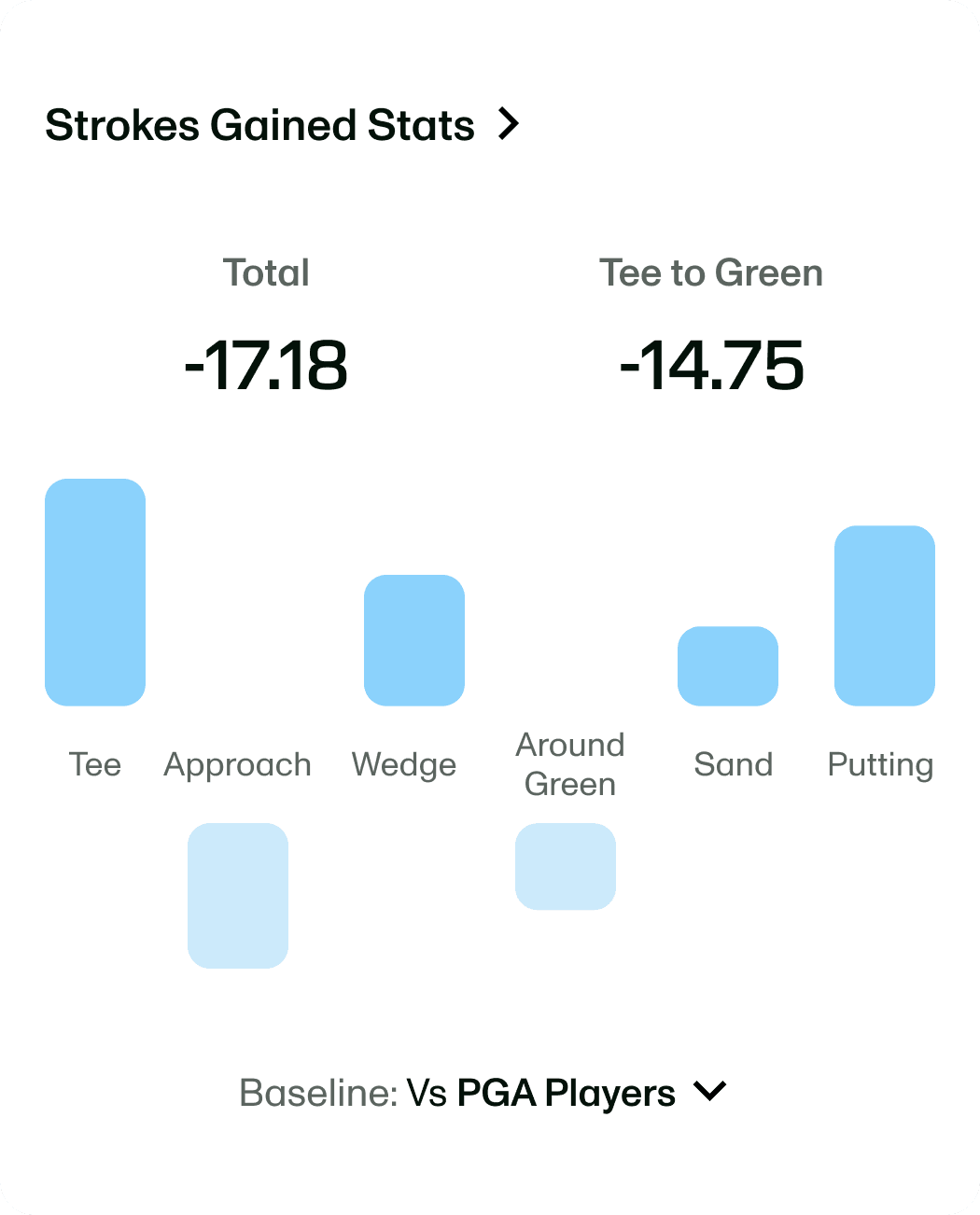
 Strokes GainedYour game, category by category.
See where you gain or lose strokes against your selected benchmark.
Try PremiumThere are two ways to get started:
Round Summary
Open your Round Summary, scroll to Strokes Gained, and tap to explore the round. Or start with your highlighted area to improve to get straight to an actionable insight.
Me tab
Open the Me tab, then Course & Round Stats. Tap your top area to improve near the top, or scroll to your Strokes Gained stats and insights for a broader look at your game.
Know what to practice. Know why it matters.
Smart Tracking captures your game. Actionable Insights help you turn those rounds into focused practice, starting with the areas where you’re losing strokes.
Actionable Insights
Know where to focus.
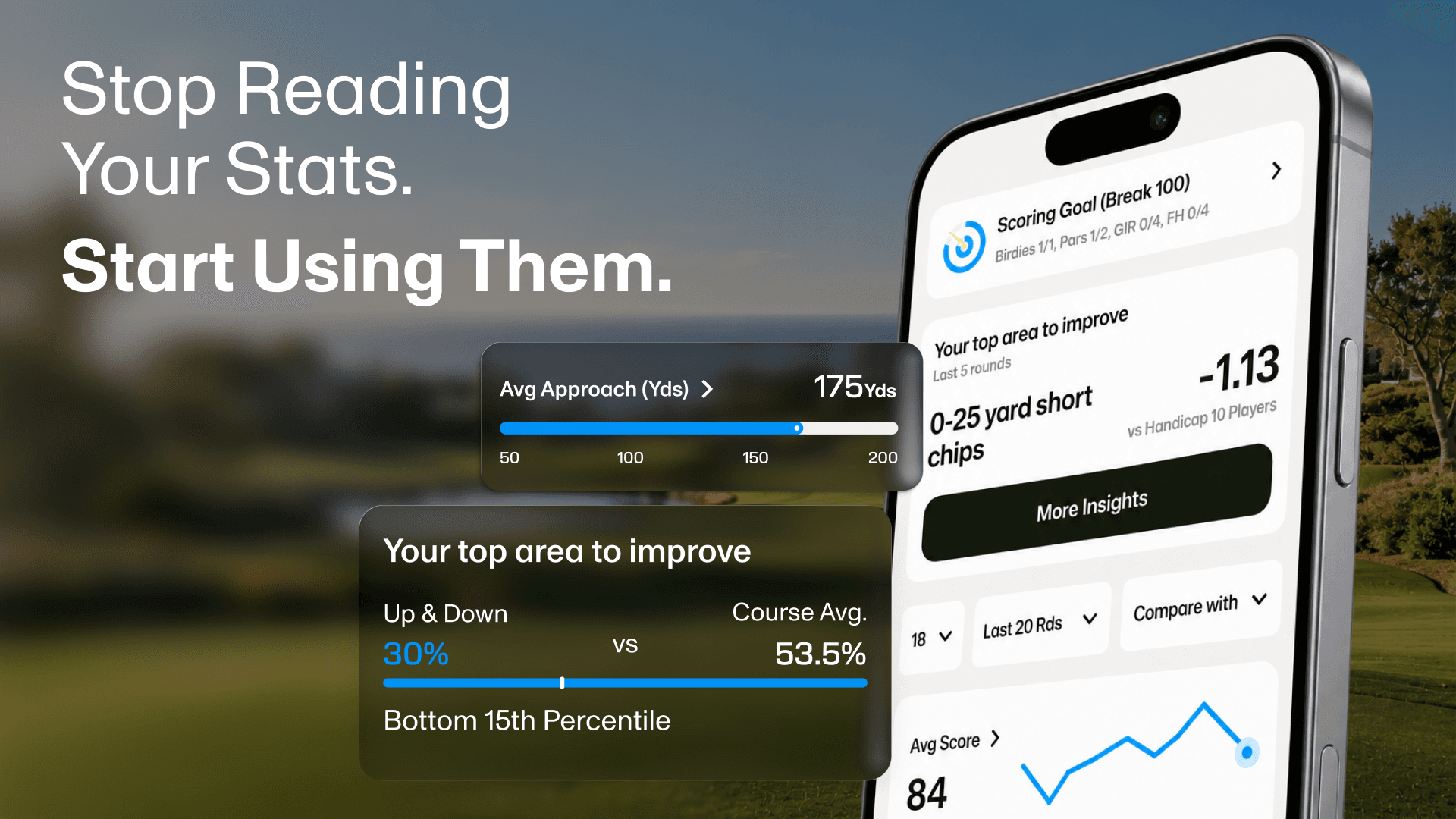
When everything feels like it needs work, choosing where to start is half the challenge. Actionable Insights analyze your last five rounds to show where you’re gaining and losing strokes, with a clear priority for your next practice session.
- Recognize your strengths.See three areas where you’re gaining strokes.
- Find your opportunities.See three areas to improve, with a clear top priority.
- Put it into practice.Tap Level Up for a personalized practice plan with drills for home and the range.
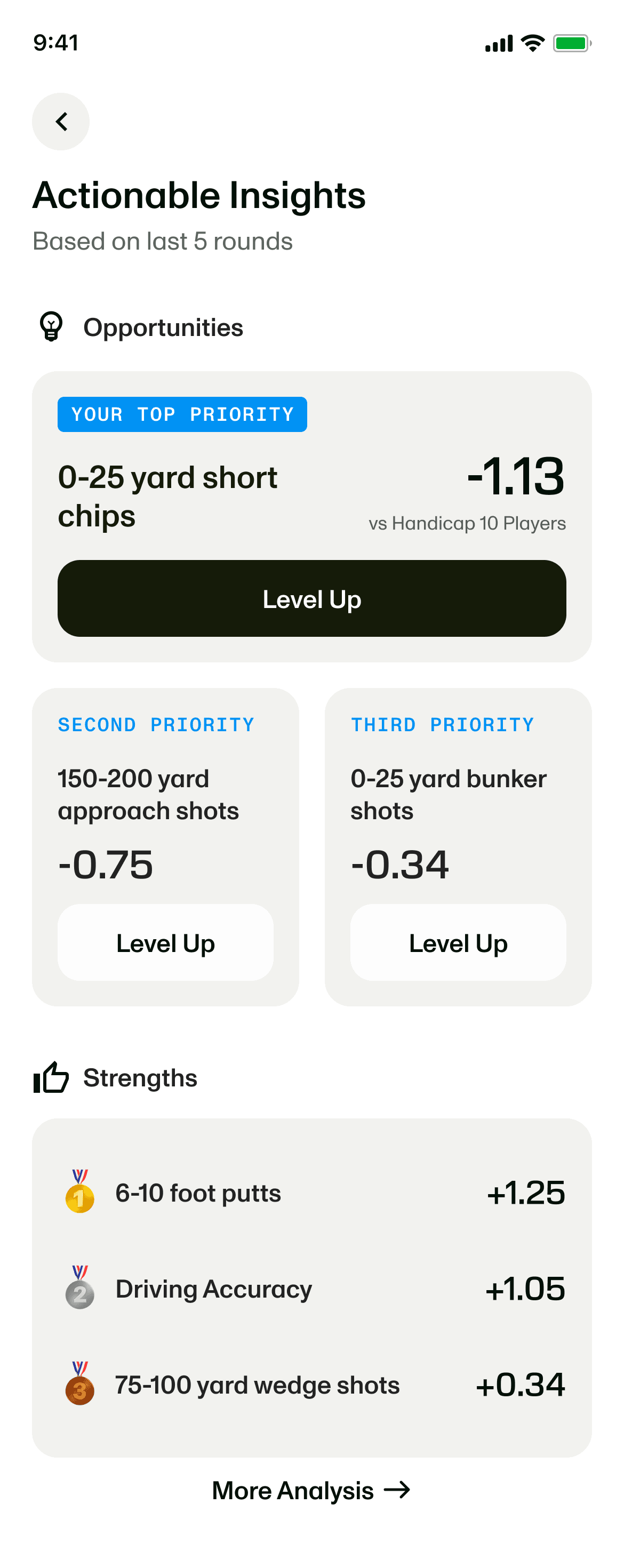
What could your next practice priority look like? These are examples of the specific skills Actionable Insights can surface across six parts of your game. Your own priorities come from your tracked rounds:
Off the tee
Work on driving distance, accuracy, or keeping tee shots out of trouble, depending on where you’re losing strokes.
Approach
Focus your approach practice on a specific range, such as 100–150 or 150–200 yards.
Wedge
Give your practice a distance target, such as 50–75 yard pitches or 75–100 yard wedge shots.
Around the green
Make time for 0–25 yard short chips or 25–50 yard shots when those are costing you strokes.
Sand
Focus on bunker shots from 0–25 or 25–50 yards, based on the opportunities in your game.
Putting
Find a putting distance to work on, from short putts to longer lag putts, based on your starting putt distances.
Then give that priority a place in your practice. Tap Level Up to open a personalized practice plan with drills for home and the range. A short-chip opportunity can take you to Pitching and Chipping; a bunker opportunity can point you to the Sand Shot plan.
That gives your practice a reason. If short chips are your top opportunity, you can head to the practice green with a specific job to do. Your recent rounds back up that choice, so you can spend your time on a skill that’s costing you strokes instead of guessing what needs work.
Try it: Open your top opportunity, tap Level Up, and choose a drill to work on before your next round.
Shot Breakdown
Bring the shots behind your priority into focus.
Once you know what to work on, revisit the shots that help explain why. A practice priority becomes more tangible when you can picture the lie, the target, and the shot you were trying to hit.
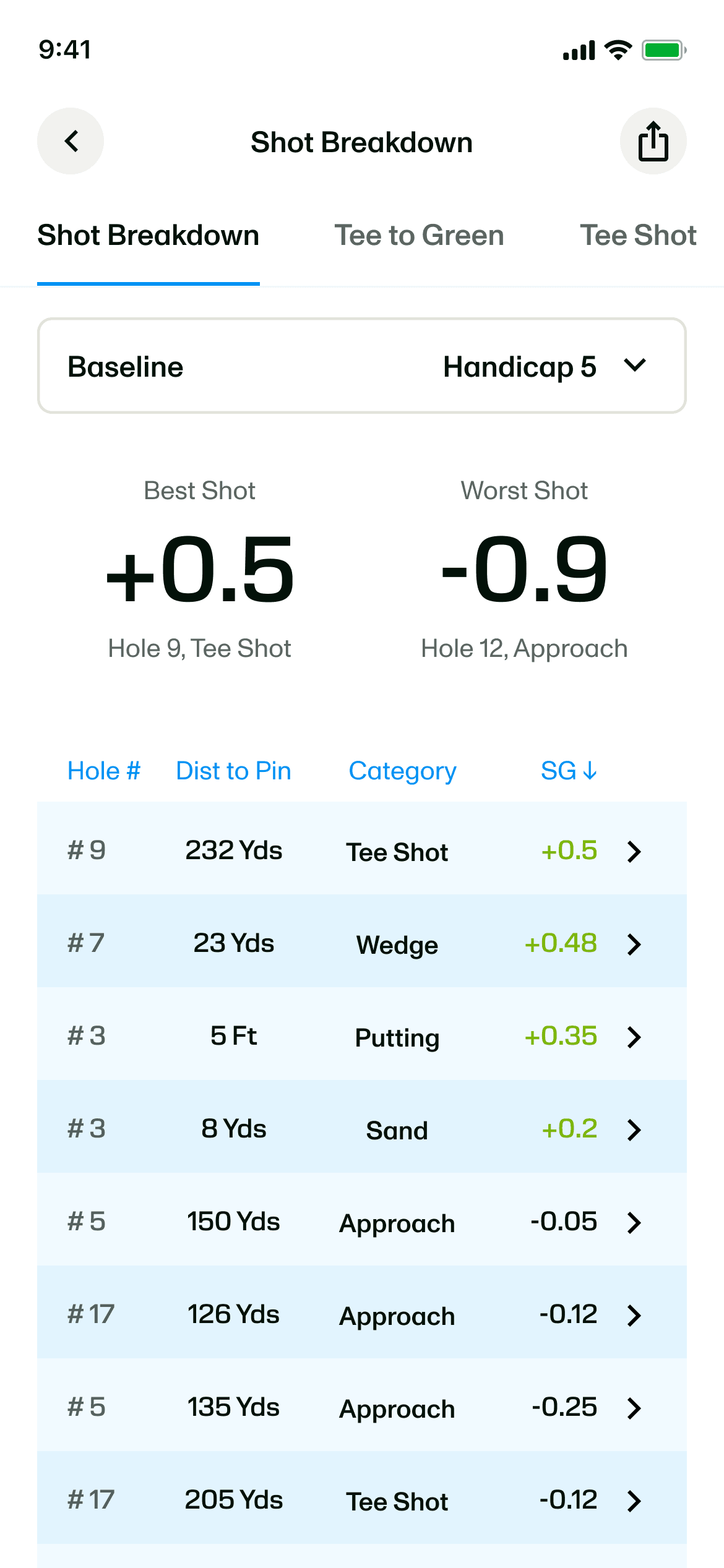
Open Shot Breakdown and sort Strokes Gained from lowest to highest to find the shots that hurt your round most. Reverse the order to see the shots that helped, or filter by category to focus on the part of your game you’re practicing.
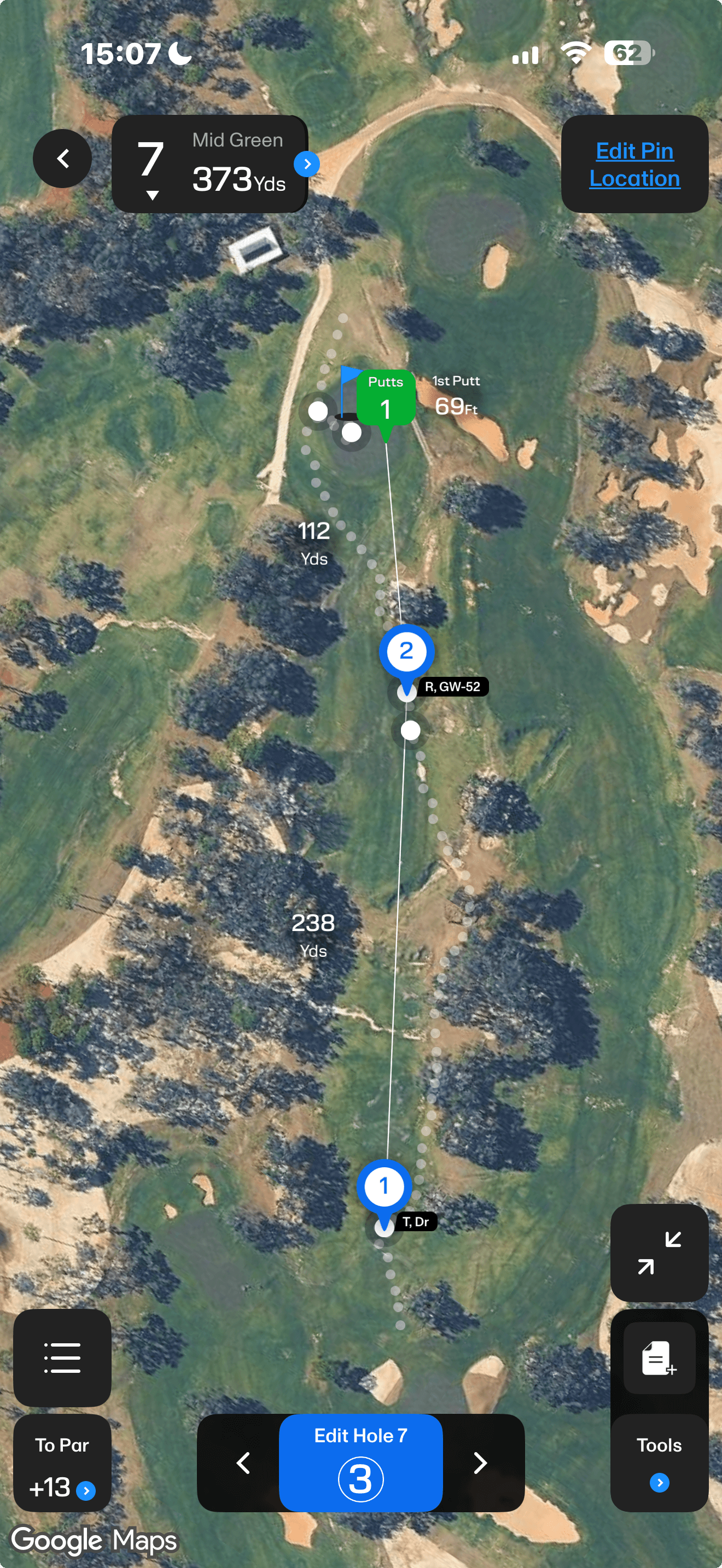
Tap a shot to revisit it on the hole map. Remember the lie and the situation, then compare a costly shot with one that went well. You’ll have a real on-course example in mind when you practice that skill again.
Find the shot
Relive the moment
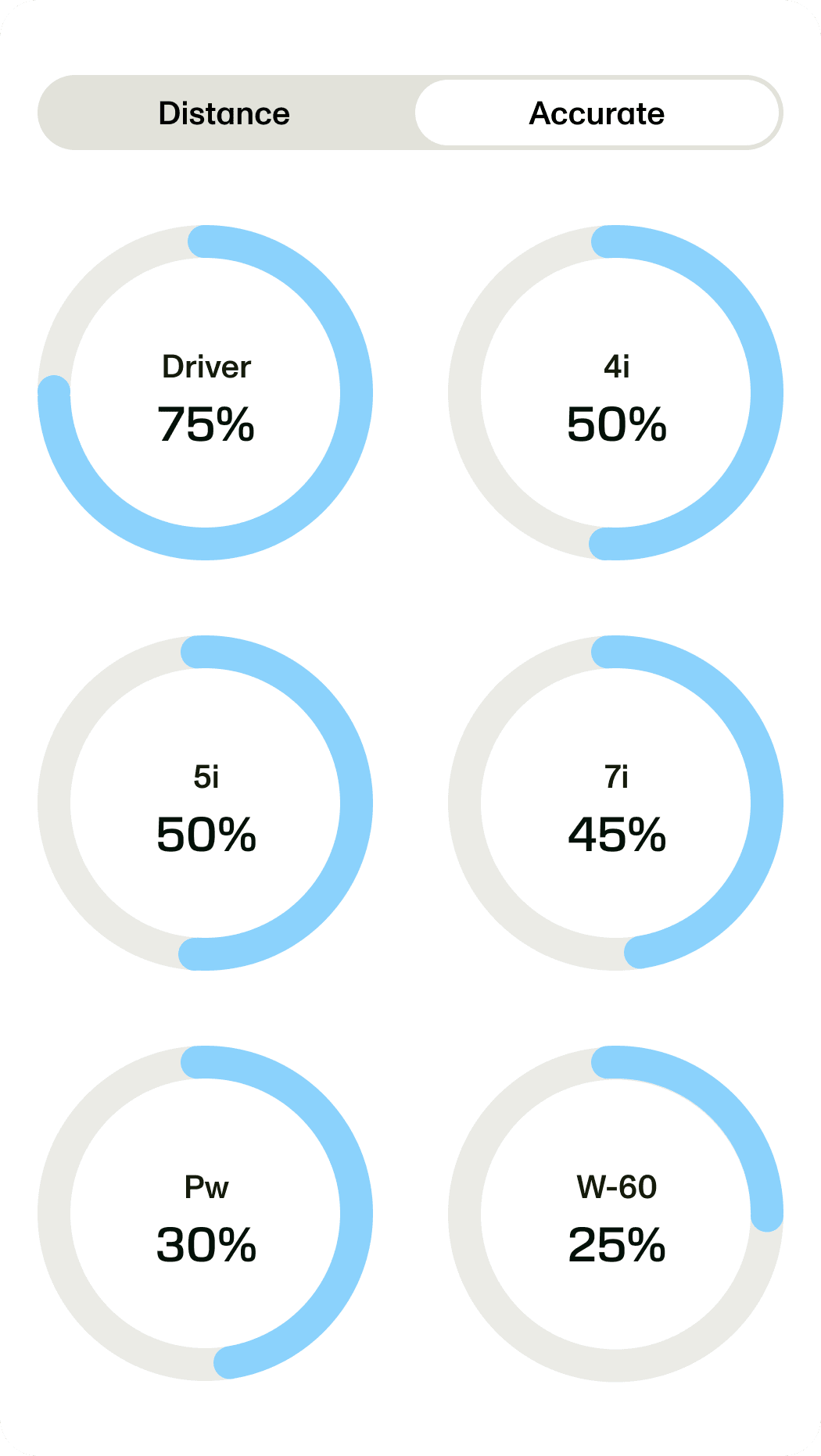
Auto Shot Dispersion
Know which clubs need more work.
Your practice priority tells you which skill needs attention. Shot dispersion adds another useful detail: which clubs you’re hitting consistently and where your misses tend to finish.
Knowing how far you hit a club is only part of the picture. Review its accuracy and miss patterns to see which clubs deserve more time at the range and which you can lean on when choosing a shot on the course.
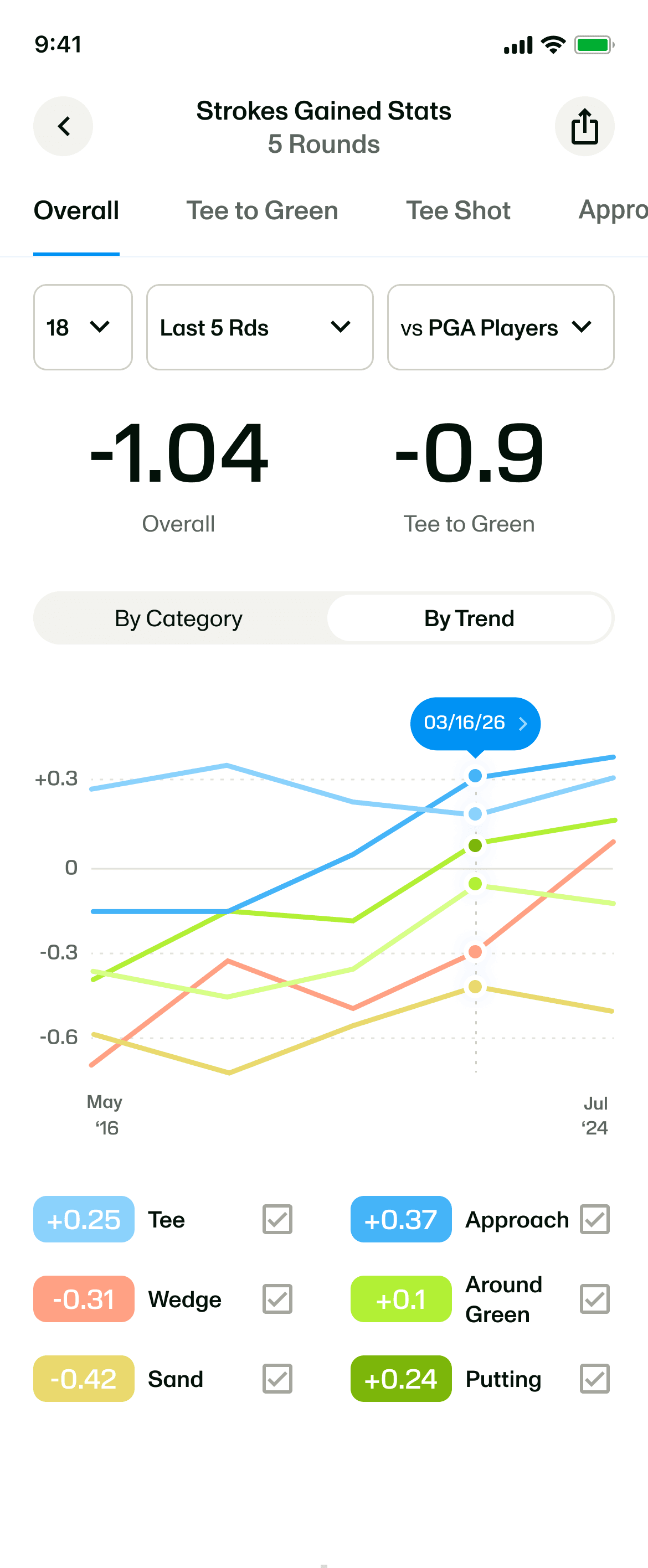
Strokes Gained trends
See whether your practice is showing up.
You’ve identified a priority, opened a practice plan, and put in the work. Now you want to know whether it’s carrying over to the course. Your total score might not tell the whole story, especially if other parts of your game had a tough day.
Strokes Gained trends let you follow the area you’ve been practicing across rounds. If approach play has been your focus, you can see how that category is changing. The course trend view also lets you compare your performance when you return to familiar holes.
Included with 18Birdies Premium
 Included with 18Birdies Premium
Head into practice with a plan.
You want to shoot lower scores. Start by knowing where you’re losing strokes. Let Smart Tracking capture your game, use Actionable Insights to choose a priority, and turn that priority into purposeful practice. Then follow your progress as you keep playing.
Find my top priorityStrokes Gained Insights FAQs
How can I find out what to practice to lower my golf scores?
Start by identifying where you’re losing strokes. In 18Birdies, Smart Tracking captures your game, and Actionable Insights analyze your last five rounds to highlight three strengths and three improvement opportunities. Your top priority gives you a specific place to focus, so your next practice session is guided by your recent performance.
How do Strokes Gained insights become a practice plan?
Tap Level Up on an improvement opportunity to open a personalized practice plan with drills for home and the range. If short chips are costing you strokes, for example, you can open the Pitching and Chipping plan and put that skill on your practice schedule.
Is Smart Tracking more accurate when I use only my phone?
Yes. We used real-world shot data to train the shot-placement model for phone-only Smart Tracking, improving its accuracy. You don’t need to change how you use it. Keep tracking as usual, with more accurate shot placement helping build the picture of your game.
Can I filter my golf stats to see how I’m playing after a swing change?
Yes. If you’re working on a swing change, adjusting your grip, or putting a lesson into practice, set a custom date range to review the rounds since that change. You can also look at a strong or frustrating stretch of golf to see where you gained or lost strokes.
Filter by your last round, last 5, 10, or 20 rounds, or all rounds. Time options include the last 30 or 90 days, a year, or a custom date range.
Strokes Gained shows how you performed. Actionable Insights help you decide what to practice next. The stats filters let you explore a chosen stretch of golf; Actionable Insights use your last five rounds to identify strengths and improvement opportunities, giving you a specific priority to work on.
Can I review my golf stats after a lesson or swing change?
Yes. Customize your stats by rounds or by time. Choose a recent set of rounds or use a custom date range starting with your lesson or swing change. You can focus on how you’ve played since, then use Strokes Gained trends to follow the area you’ve been practicing.
How does automatic shot dispersion help me choose which clubs to practice?
Shot dispersion shows where your shots finish relative to an aim point. Alongside club accuracy, it helps you identify clubs with less consistent results and give them attention at the range. Enable automatic aim points in Settings from the GPS screen to collect that information with less manual setup. It applies to future shots, not past rounds.
Do I need 18Birdies Premium to use these insights?
Yes. These Smart Tracking updates and Strokes Gained insights are included with 18Birdies Premium. Start in your Round Summary after playing, or open the Me tab and choose Course & Round Stats to explore your recent performance.