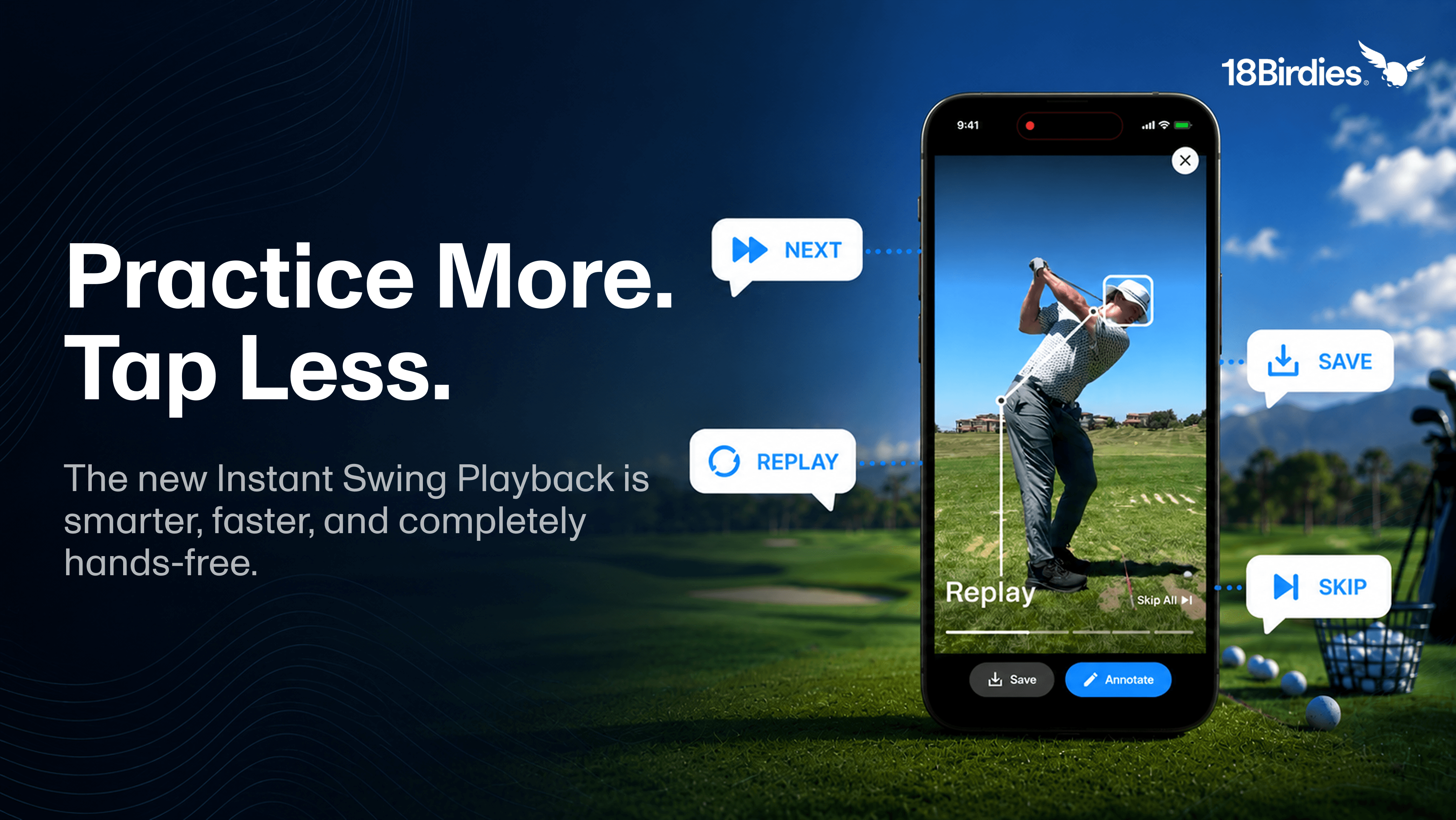
When we launched Instant Swing Playback, the goal was simple: bring the instant-replay power of an elite indoor simulator right to your local driving range.
Just swing, look up, and see your movement in real time.
Since launch, golfers everywhere have used it to make real swing changes. But we noticed a new kind of range friction creeping in, and this Premium update removes it.
The core Instant Swing Playback experience still includes recording, instant full-speed and slow-motion playback, and standard-definition video saves for free. The new tools below are Premium features built for golfers who want deeper swing review and less tapping between reps.
What's new for Premium:
- Position Freeze Frames at your key swing positions
- Manual Annotation and Automatic Annotation
- Hands-Free Voice Commands
- High-Definition video saves
Free
- Recording and Instant Playback
- Full Speed and Slow Motion replay
- Save Videos in Standard Definition
Premium
- Save Videos in High Definition
- Manual Annotation
- Automatic Annotation
- Voice Commands
- Position Freeze Frames
Why We Built This Update
Even in slow motion, a golf swing happens fast. If you're trying to shorten a backswing that's scaling past parallel, or checking whether your head is moving at address, slow-mo only gets you halfway there.
You still find yourself dropping your club and scrubbing through the timeline with your thumb just to find that one exact millisecond at the top of your turn or at impact. By the time you find it, you've lost the physical feel of the adjustment you were making.
Real-time feedback shouldn't require you to touch your phone at all. Your practice rhythm is too valuable to break between every shot.
So we upgraded Instant Swing Playback for Premium members with advanced automation and voice recognition. Now you get precise, automated visual feedback without taking your hands off your club.
Position Freeze Frames: Zero Timeline Scrubbing
You no longer have to hunt for the critical moments in your swing. The app automatically detects your swing sequence and adds a dedicated freeze-frame pause right where you need it.
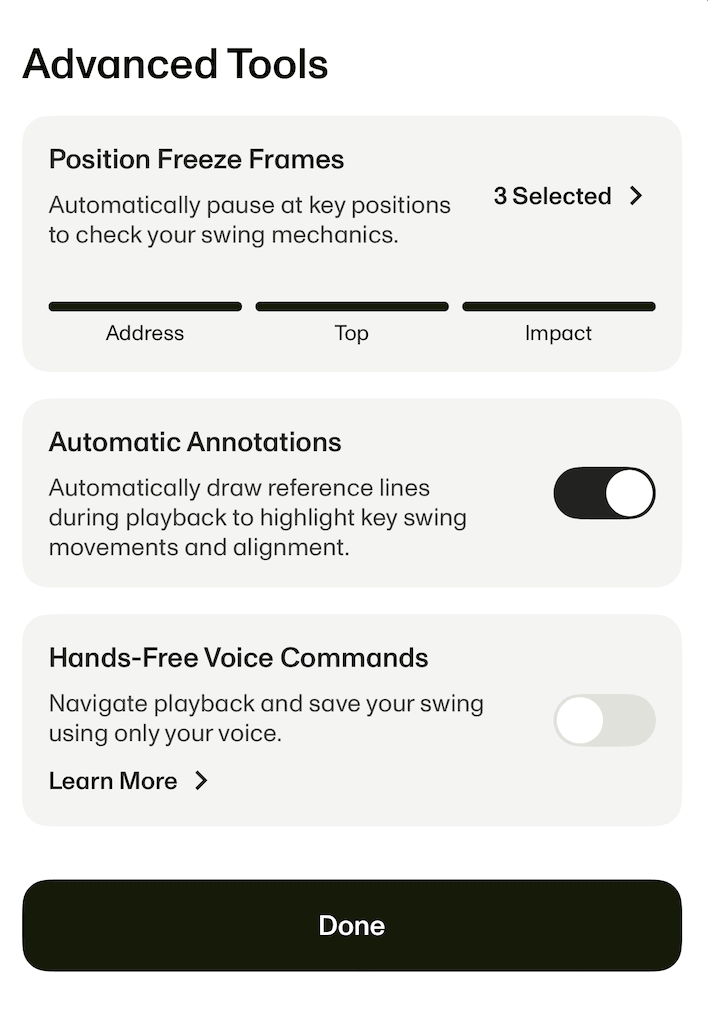
Through the Advanced Tools menu, customize your replay to automatically freeze at the milestones you're working on:
- Address: Check your setup, posture, and alignment before the swing begins.
- Top of Backswing: Examine your posture and rotation at the top.
- Impact: Review your clubface and body position at the moment of contact.
Automatic Annotations: Your Visual Benchmarks
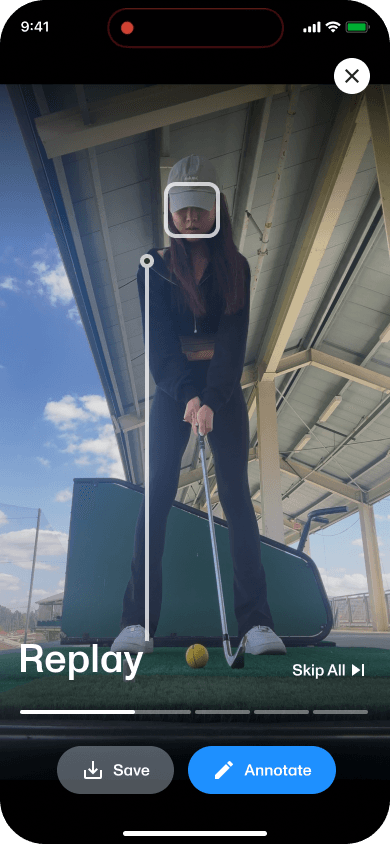
Fixing your posture requires a steady baseline, but drawing lines on a screen can be a hassle. The app now draws digital reference lines over your replay the moment you finish your swing.
Depending on your camera setup, the AI adapts to give you the feedback you need:
- Face-On View: Automatically draws a precise head box and lead shoulder line at address so you can see unwanted movement against the visual boundary.
- Down-the-Line View: Maps your head box, spine angle, and butt position with white reference lines so you can see right away if you're early extending or lifting out of your posture.
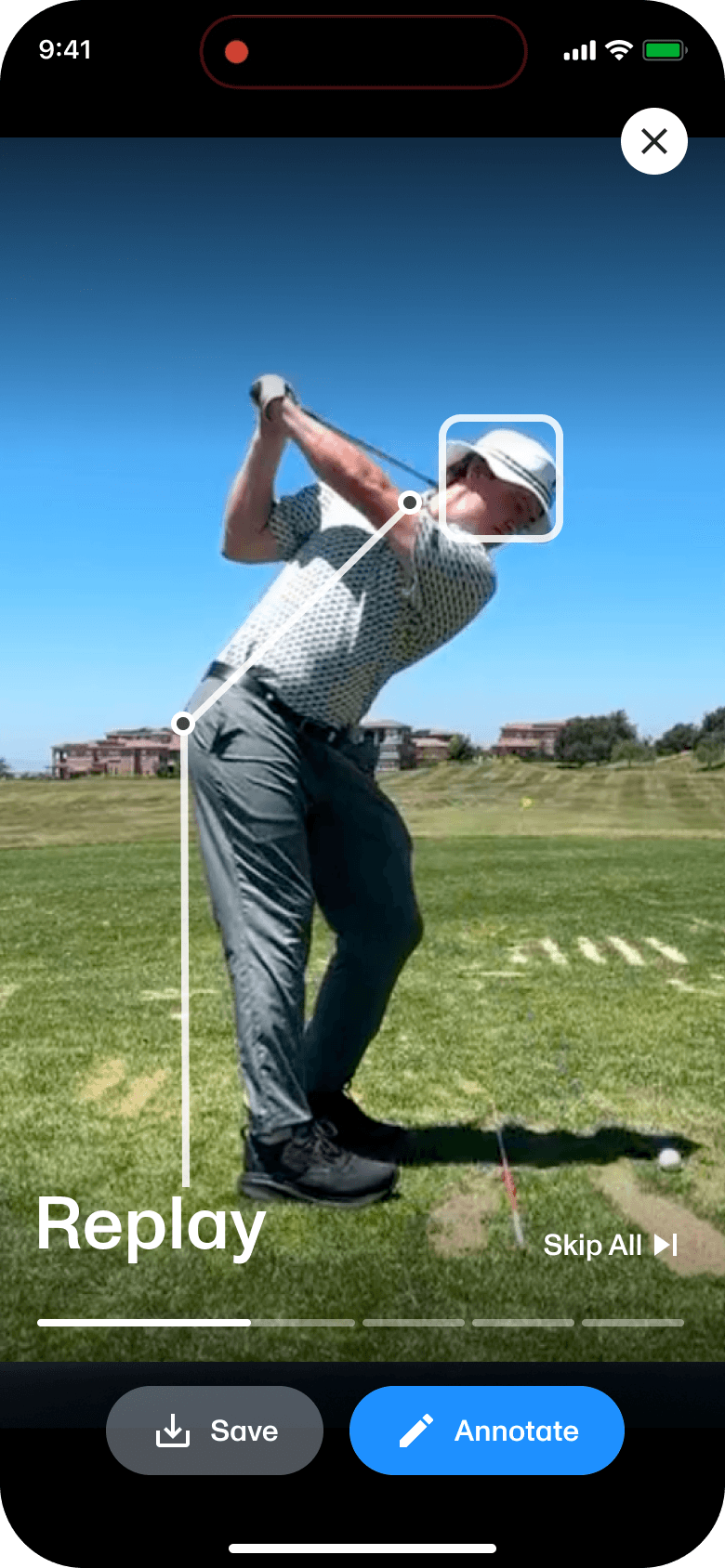
Hands-Free Voice Commands: Keep Your Rhythm
You never have to step out of your stance or bend over to touch your screen. Just speak to the app to control your session:
Advance to the next step in your swing playback.
Restart the video loop from the beginning.
Send frozen frames straight to your camera roll.
Clear the replay and return to the live camera.
Friction-Free Practice, Everywhere
Your phone is no longer just a camera. With the exact frames and reference lines you need delivered automatically, you can stop scrubbing through videos and start dialing in the changes that actually lower your scores.
The Premium Update Is Live Today.
Open Instant Swing Playback the next time you practice. The less time you spend tapping, the more time you can spend feeling the change and making the next swing count.
Instant Swing Playback FAQs
What's new in the Instant Swing Playback update?
This Premium update adds Position Freeze Frames, Manual Annotation, Automatic Annotation, Voice Commands, and High-Definition video saves for golfers who want a deeper swing review workflow.
Are the new Instant Swing Playback features free or Premium?
Recording and Instant Playback at full speed and slow motion remain free, along with standard-definition video saves. Premium includes High-Definition saves, Manual Annotation, Automatic Annotation, Voice Commands, and Position Freeze Frames.
How does Instant Swing Playback work in 18Birdies?
Instant Swing Playback records your swing, detects key moments, and automatically replays the video so you can review your movement without scrubbing through the timeline.
How do I turn on Position Freeze Frames in Instant Swing Playback?
Open Instant Swing Playback, go to Advanced Tools, and choose the swing positions you want the replay to pause on automatically, including Address, Top of Backswing, and Impact.
What are Automatic Annotations in Instant Swing Playback?
Automatic Annotations are reference lines that 18Birdies draws over your swing replay to help you review setup, posture, head position, spine angle, shoulder line, and other key movement checkpoints.
Which voice commands does Instant Swing Playback support?
Four commands work during any session: "NEXT" advances the playback sequence, "REPLAY" restarts the loop, "SAVE" sends frozen frames to your camera roll, and "SKIP" returns you to the live camera for your next shot.
Which swing positions can I freeze on?
You can set automatic freeze frames at Address, Top of Backswing, and Impact through the Advanced Tools menu. Choose one, two, or all three depending on what you're working on.
Do Automatic Annotations work in both camera views?
Yes. Face-On view draws a head box and lead shoulder line at address. Down-the-Line view maps your head box, spine angle, and butt position with white reference lines.
Do I need to update my app to get these features?
Yes. Update to the latest version of 18Birdies on iOS, and the new tools will appear in your Instant Swing Playback session.
Is Instant Swing Playback available on Android?
Instant Swing Playback remains iOS-only for now, including the new features.